QIDI MAX4 Review
More than the smaller QIDI Q2; the version without the Box costs less than the Combo.
Our verdict
I’d choose the Max4 for large props, housings and workshop parts when smaller printers would force extra assembly. Its heated chamber makes demanding materials worth exploring, but allow time to tune settings and check long prints. For mostly single-color work, I’d start without the QIDI Box.
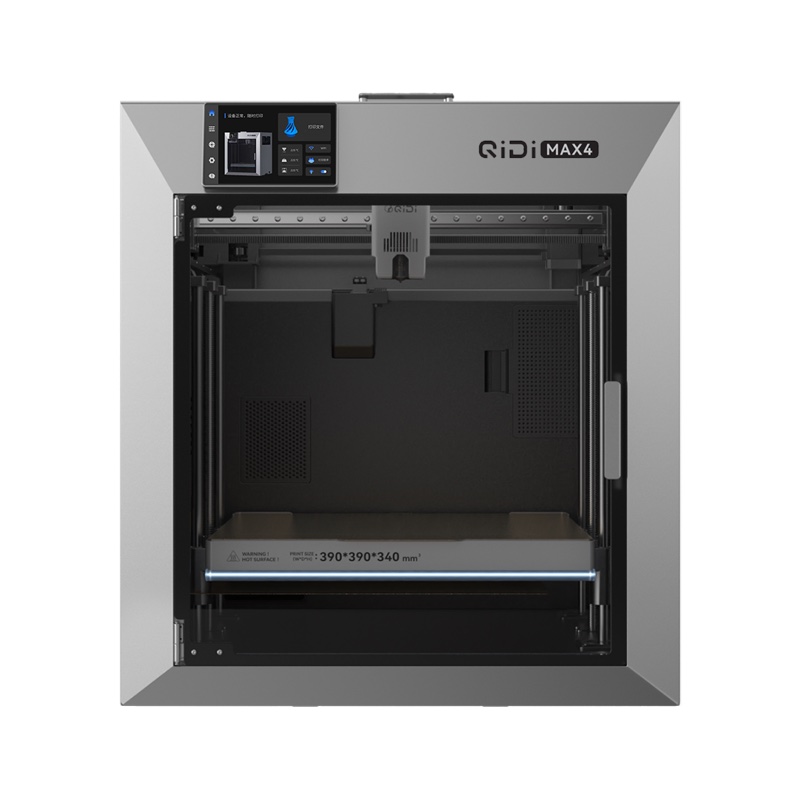
Best atLarge projects that benefit from fewer printed sections and a heated chamber.
Less suited toTight workspaces or jobs that depend on unattended failure detection and reliable recovery from the first print.
The Key Specs
| Print area | 390 × 390 × 340 mmWider than it is tall; check profile exclusions and leave room for supports, brims and a prime tower. |
|---|---|
| Chamber / nozzle | Up to 65°C / 370°C, specified by QIDIUseful for exploring demanding materials; temperature limits do not guarantee consistent results with every filament. |
| Color printing | Four spool positions with the Combo’s QIDI BoxOne nozzle clears the previous filament at each change, adding time and discarded plastic. |
| Filament drying | QIDI Box: up to 65°C, including while printingCompare this with your filament maker’s drying instructions; some materials need a hotter dryer. |
| Printer size | 558 × 578 × 612 mm; about 88 lb without the BoxPlan a sturdy workbench, help moving it and clearance for the door, plate, top glass and accessories. |
Which Version Should You Buy?
- Without QIDI Box
- My choice for mostly single-color parts; costs less and avoids paying for color switching you may not use.
- Combo
- Adds one four-position QIDI Box. Choose it for colored lettering, accents or compatible support filament; check estimated time and material use first.
- QIDI Box bought separately
- Choose the Max4 version: the hub and signal cable differ between supported printer models.
Budget beyond the printer. Allow for filament, purge waste on multicolor jobs, Max4-specific replacement nozzles and suitable ventilation. Some filaments need a hotter dryer than the Box provides. Check whether your package includes the Polar Cooler before buying one separately.
Also consider: QIDI Q2. Costs less in comparable configurations and retains a heated chamber, if your parts fit within 270 × 270 × 256 mm.
More Specs And Ownership Details
| Local printing | USB works offline; Wi-Fi and Ethernet support local file transfer through QIDI Studio. Remote app access requires a linked account. |
|---|---|
| Box spool fit | 195–202 mm diameter and 50–72 mm width; QIDI advises adapters for cardboard spools. |
| Flexible filament | Feed ordinary soft 95A TPU from the external holder; it is not Box-compatible. |
| Polar Cooler | Cools the filament-feed area rather than the whole chamber; allow for hoses, condensation collection and extra noise. |
| First layer / camera | Inspect the first layer and check progress yourself; automatic leveling and failure detection do not remove those checks. |
| Replacement nozzles | Buy Max4-specific nozzles; Q2 and Plus4 nozzles are not interchangeable. |
I’d consider the QIDI Max4 if you want to print large props, housings or workshop parts and have room for a large printer. Reported testing shows good results with everyday plastics, plus promising examples with more demanding materials. I’d choose the version without the QIDI Box for mostly single-color work.
The main drawback is how much you may need to check and adjust, from the first layer to resuming an interrupted print. The Max4 gives you room for bigger projects, but I wouldn’t buy it assuming its camera and automatic features will catch every problem during a long print.
Will Your Parts And The Max4 Fit?
QIDI specifies a build space of 390 × 390 × 340 mm, or about 15.4 × 15.4 × 13.4 inches. Notice that it’s wider than it is tall. A wide housing might fit comfortably. A tall costume piece may need to be turned to fit, or printed in smaller sections and put together afterward.
Check the usable space in QIDI Studio before buying. This software prepares models for printing using profiles: saved settings for the printer, nozzle and filament, the plastic fed into the nozzle.
QIDI’s published profile for the 0.4 mm nozzle marks areas near the print bed’s edges as off-limits. Don’t assume that leaving off the Box makes those areas available.
Open your largest model in QIDI Studio and select the Max4 and your intended nozzle. Allow space for supports, the temporary scaffolding beneath projecting sections that you remove after printing. A brim adds plastic around the base to help it stay attached, so include one if needed.
For multicolor work, allow room for a prime tower, the extra structure printed to get the nozzle flowing properly after color changes. Check that the whole layout fits, including these additions.
The printer itself measures 558 × 578 × 612 mm, roughly 22 × 23 × 24 inches, and weighs about 88 pounds without the Box. Plan on help moving it and a sturdy workbench. Leave room to open the door, handle the large build plate, reach the rear and remove the top glass.
If you’re using the Box, leave room to open its lid and change spools, too. The Polar Cooler accessory needs space for its body and hoses. A shelf that barely clears the printer won’t work well with these accessories.
What The Max4’s Print Results Show
The Max4 has reported successes beyond small demonstration prints. One tester reported 200 hours of printing, mostly with PLA and some PETG. PLA is a common choice for decorative objects; PETG is often used for practical household parts. The tester described particularly smooth walls on a glass-top riser and vents printed in QIDI PLA Rapido Matte.
In that test, difficult models designed to test the printer’s limits needed much slower settings to finish successfully. The PETG settings also needed higher temperatures. Treat the supplied settings as a starting point for your filament, especially when a model has small details or sections that project into open air.
Another reported test produced a working clamp in PETG-CF, which is PETG containing carbon fiber. Its moving sections were printed together and worked afterward. That’s a useful demonstration of a practical object, but the report didn’t establish how firmly it could hold something, how closely its measurements matched the design or how well it would withstand repeated use.
A separate hands-on account reports successful PC-ABS, a blend of polycarbonate and ABS, alongside several nylon grades. It describes clean parts without troublesome curling or distortion, often called warping.
However, it doesn’t give enough detail about filament drying, print temperatures, part dimensions or measurements across repeated prints to show how consistently you could expect those results. I’d consider the Max4 for these materials, but allow time to try your own parts and adjust the settings.
For a custom bracket or housing, I’d start with a small sample containing the holes, clips or joints that need to fit. Measure it and try it against the other parts before committing to a large print.
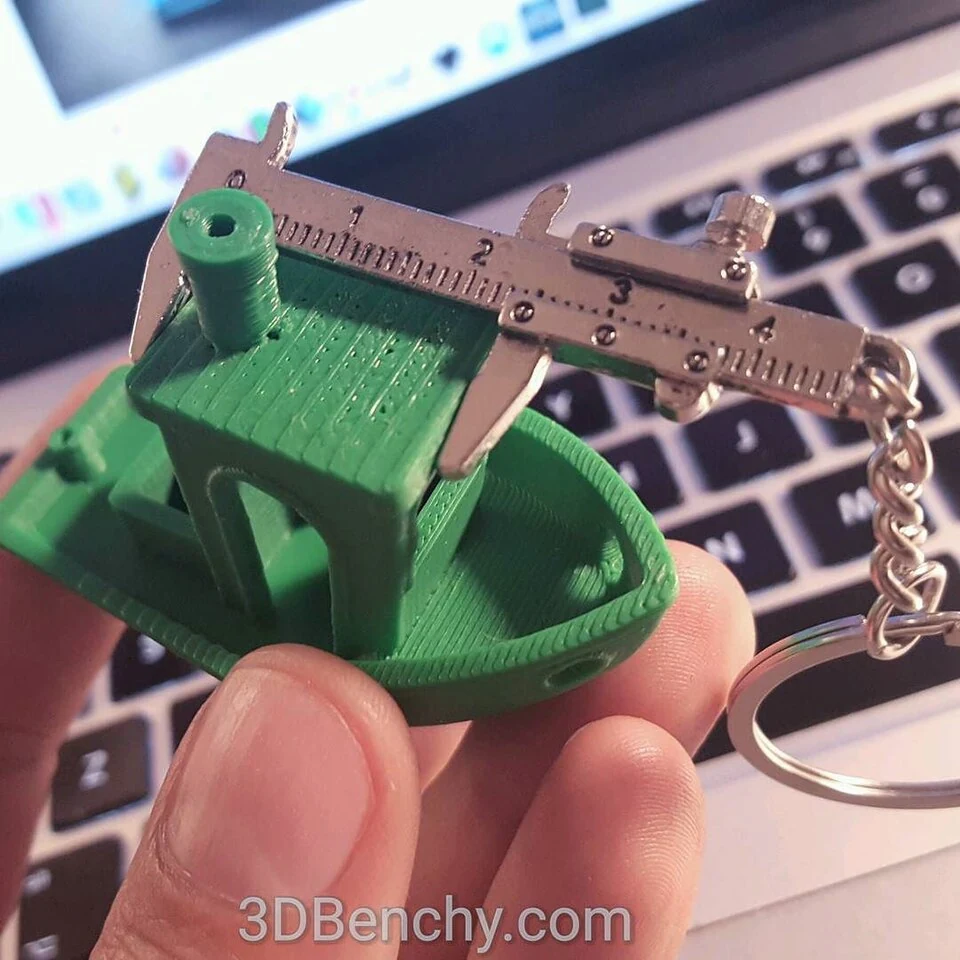
If the finished object must carry a load, test that requirement separately. A smooth surface and working hinge don’t tell you how much force a part can withstand.
The Max4’s heated chamber helps materials such as ABS cool more evenly by warming the air around the print. That reduces their tendency to curl away from the bed. QIDI specifies limits of 65°C for the chamber and 370°C for the nozzle. Those temperatures make the printer worth considering for these materials, but don’t establish consistent results with every filament QIDI lists as supported.
For PLA, don’t assume a hotter chamber will improve the print. Extra chamber heat can make it harder to cool sections that project outward or span a gap. The plastic needs to harden as it’s printed; if it stays soft, a span can sag instead of holding its shape.
Start with the recommended settings for your filament. QIDI recommends a PLA chamber temperature no higher than 45°C, even with the Polar Cooler, to avoid premature filament softening and print defects.
The advertised 800 mm/s maximum doesn’t tell you when your model will finish. Judge speed using the settings that produce an acceptable part, with heating, preparation and filament changes included.
What The QIDI Box And Polar Cooler Add
The Combo adds a QIDI Box with four spool positions. More Boxes and connection hardware can expand that to 16, but one Combo doesn’t include a 16-spool setup. For a separately purchased Box, choose the Max4 version: the hub and signal cable differ between compatible printer models.
I’d add it for colored lettering, accents or compatible support materials that are easier to remove. Check the Box’s compatibility list for your chosen filament: QIDI lists PVA and BVOH, two support plastics that dissolve in water, as supported only when dry.
Frequent color changes can add a lot of printing time. In one reported test of a keychain with moving sections, a single-filament print took two hours and the three-filament version took fourteen. That is one job, not a multiplier to apply to everything you print.
All colors pass through the same nozzle, so the printer must push out the previous filament before printing with the next one. That takes time and wastes plastic.
Prepare your intended multicolor model in QIDI Studio before choosing the Combo, and check the estimated material use as well as the printing time. Printing separate colored pieces and assembling them may suit your project better.
Filament can absorb moisture from the air. When printed damp, it can bubble, leave blobs on the surface or form layers that don’t bond well. Drying removes that moisture.
The Box can dry filament while printing, but its limit is 65°C. Before relying on it as your dryer, compare that limit with your filament maker’s drying temperature and time. Some materials need a hotter dryer; insufficient drying can leave those moisture-related problems.
Check spool fit, too. QIDI specifies 195–202 mm diameter and 50–72 mm width, and advises adapters for cardboard spools. Ordinary soft TPU, a flexible plastic often labeled with a hardness rating of 95A, isn’t Box-compatible; feed it from the printer’s external spool holder.
The Polar Cooler sends cooled air to the area that feeds filament into the nozzle. It’s designed to keep the filament from softening too early and causing a jam. It doesn’t cool the whole chamber or replace cooling the plastic after it leaves the nozzle.
You’ll have extra noise, hoses to route and condensation to collect. One test encountered hose kinking beneath the glass lid. Check that the hose has room as the print head moves across the bed. The available tests don’t establish that every Max4 needs the cooler or confirm QIDI’s advertised clog reduction.
QIDI’s US printer listing currently includes a Polar Cooler as a gift with both versions, with separate shipment noted. Check your selected package before purchasing another. If you must pay extra, I’d first establish that heat-related feeding problems are limiting your prints.
Setting Up And Using The Max4
Guided setup starts with removing the packing restraints, followed by checks and calibration. That makes the first print approachable, but automatic leveling doesn’t remove the need to inspect the first layer. The printer has to leave the nozzle at the right distance from the plate so the plastic sticks without being pressed down excessively.
Some owners report needing to adjust that distance, called the Z-offset. Avoid copying somebody else’s number: their plate, temperatures and printer may differ. Start with a small first-layer print and follow QIDI’s adjustment guidance if the result looks wrong.
PLA can also stick very firmly to the build plate, so allow time to remove prints and clean the plate.
Downloaded projects can include settings for another printer. When you open one in QIDI Studio, use current profiles and check the printer, nozzle and filament selections. Save any successful adjustments under a clear profile name so you can use those settings again.
You can print from a USB drive without an internet connection, or send files over your local network through Wi-Fi or Ethernet. QIDI Studio supports direct local connections.
Use the QIDI Maker app for access away from home. You’ll need to link an account for remote access, but you can still print locally without the cloud.
For routine care, keep the plate and enclosure free of scraps and follow the maintenance instructions for the moving parts. QIDI provides Max4-specific replacement guides and sells replacement nozzles. Buy the correct ones: Max4 nozzles aren’t interchangeable with Q2 or Plus4 nozzles.
I’d put the printer and accessories in a well-ventilated workspace away from where you sit. The noise can be distracting at a desk, particularly with the cooler and Box running.
Plastic printing also releases particles and gases, so the built-in filter doesn’t remove the need for room ventilation.
Where I’d Be Cautious With The Max4
I would leave time for setup and troubleshooting before relying on the Max4 for deadline-driven work. Some owners report first-layer trouble, feeding problems and interrupted operation. These accounts give you specific problems to watch for, but don’t establish a failure rate or show that every printer shares the same defect.
One owner described debris on the vertical screws that move the bed and improvement after cleaning. That’s an individual account, not proof of a recurring mechanical fault.
Likewise, one report of the nozzle hitting the bed during setup doesn’t show that this routinely happens on current printers. If yours scrapes or behaves unexpectedly, stop and have support help diagnose it.
QIDI Studio’s August release lists revised Max4 print settings and local-connection improvements. These changes affect the software that prepares and sends prints. They don’t establish that the printer’s firmware—the software running on the printer itself—has fixed a particular problem with interruptions or resuming prints.
Check automatic spool switching separately. Successful programmed color changes don’t prove that a print will recover when a spool empties unexpectedly. Before relying on a backup spool for an expensive job, try a small print that will empty the first spool, with matching filament ready in the Box. Stay nearby to check the switch, and use a test part you don’t need urgently.
Use the camera to check progress yourself. In reported testing, automatic failure detection missed problems, so don’t assume the printer will spot a failed print and stop it.
QIDI’s US consumer warranty is one year, with normal wear of consumable parts excluded. Keep the packaging and document problems promptly.
The return policy allows requests within 14 days but includes inspection, shipping-cost conditions and possible deductions for used items. Don’t assume that means a free trial with an unconditional full refund.
Is The Max4 Worth It For Your Projects?
I’d shortlist the Max4 if your models are regularly too big for smaller printers and you’re willing to spend time getting the settings right for your material. Printing a large costume shell or equipment housing in fewer sections can save you assembly work. That’s a good reason to pay for the extra size.
For mostly single-color parts, I’d start with the cheaper version without the Box. Add the Box if you need to switch colors or use compatible support filament. The cooler is worth evaluating if included, but its noise and hose arrangement still have to suit your workspace.
If your parts fit within 270 × 270 × 256 mm, the QIDI Q2 is a useful smaller alternative to consider. It costs less in comparable configurations and retains a heated chamber. The tradeoff is less room for your prints. It isn’t a promise of identical output or better reliability.
I’d pass on the Max4 if you can’t comfortably house and maintain it, or if you need to rely on it to resume interrupted prints from the first job.
Beginners with a specific large project can justify it, provided they’re prepared to learn the setup. If you mainly want small decorations, the Max4 offers more space and heat than those projects need.


