Polymaker PolyFlex TPU95 Review
Compare equal filament weights before choosing the cheaper spool; the smaller package can obscure value.
Our verdict
I’d choose standard PolyFlex TPU95 for small flexible covers, grips and bumpers on a direct-drive printer. It rewards time spent adjusting the design, but feeding, moisture and cleanup need more attention than a simple load-and-print job.
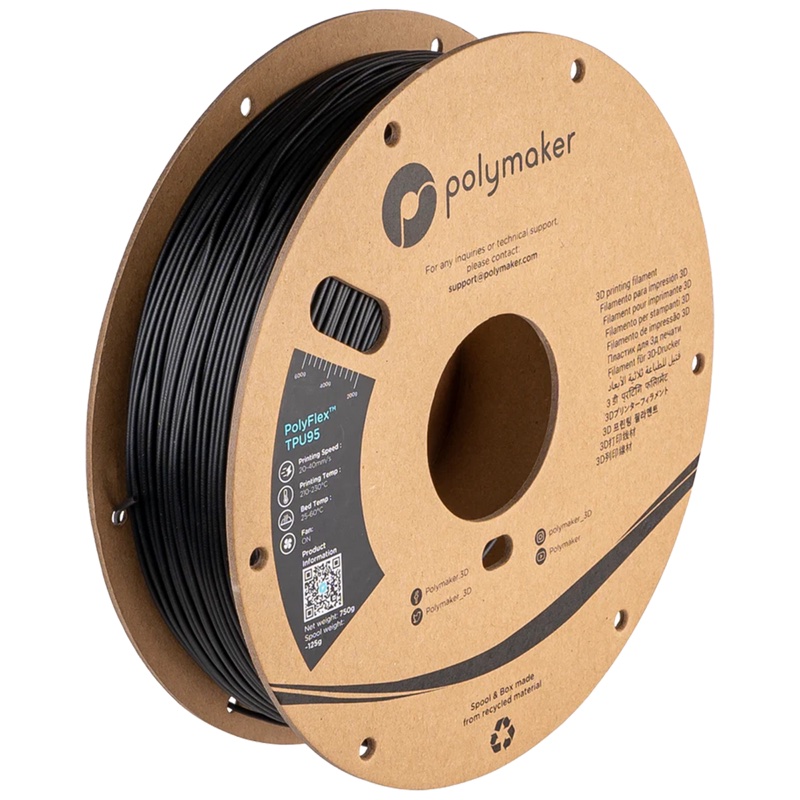
Best atSmall flexible parts when you can print slowly, keep the filament dry and tune the fit.
Less suited toRigid brackets, soft cushions without design changes, or projects that depend on automatic spool switching.
The Key Specs
| Flexibility | Shore 95A TPUFairly firm flexible plastic; wall thickness and infill strongly affect how much the finished part gives. |
|---|---|
| Feeding | Direct drive strongly recommendedA short, supported filament path is the easier starting point; check Bowden compatibility before buying. |
| Printing temperatures | Nozzle 210–230°C · bed 25–60°CUse a profile for standard TPU95 and your printer; temperature capability alone does not establish compatibility. |
| Moisture handling | Drying and sealed storageAllow for a suitable dryer and desiccant storage; follow the instructions for your spool when drying schedules disagree. |
| Cleanup | Stringing and stubborn supportsReduce support needs in the design and expect some appearance tuning after flow and fit are working. |
| Spool size | 0.75 kgCompare cost for an equal amount of material against larger spools. |
Which Diameter And Spool Should You Buy?
- 1.75 mm spool
- Choose it only for a printer that takes 1.75 mm filament; confirm the color and quantity available for repeat batches.
- 2.85 mm spool
- Choose it only for a printer that requires this diameter. Polymaker says this diameter is being discontinued and may not be restocked.
Budget For Drying And First Prints. Allow for a suitable filament dryer, sealed storage with desiccant or a dry box, and material for small fit samples. A glue separation layer may also be needed if your build-plate maker specifies one for flexible filament.
More Handling And Compatibility Details
| Reviewed grade | Standard PolyFlex TPU95. TPU95-HF is a separate high-flow material that needs its own profile and a fresh fit and flex check. |
|---|---|
| Starting speed | I’d start a small direct-drive print around 30 mm/s and slow down if feeding struggles; this is a cautious starting choice, not a guaranteed profile. |
| Drying instructions | The V5.5 sheet lists 70°C for eight hours; the US store lists 65°C for eight hours when wet. Follow the instructions for your spool within the limits of the dryer and spool. |
| Nozzle / cooling | Manufacturer recommendations assume a 0.4 mm nozzle, with the part-cooling fan on. |
| Automatic feeders | Use external feeding for standard TPU95 with the original Bambu AMS, AMS lite and AMS 2 Pro. AMS HT has a generic-TPU bypass, separate from automatic feeding. |
| Durability expectations | Manufacturer stretch figures do not establish the recovery, wear or lifespan of your finished part; screen a representative sample for its intended job. |
| Seller labels | A “V2” label alone does not establish an upgrade; request the matching product code and technical sheet. |
I’d consider Polymaker PolyFlex TPU95 if you want to print a flexible cover, grip or bumper and you’re willing to print slowly and tune your setup. I’d put it on your shortlist for a first flexible filament if your printer has direct drive. Its main drawback is the extra attention it needs: feeding, moisture and cleanup can all demand more work than you expect.
This review covers standard PolyFlex TPU95. TPU95-HF is a separate material aimed at faster printing. Neither the shared name nor the 95 hardness label means you can swap them without checking your settings and finished part.
How Much Flex Can You Expect From TPU95?
TPU stands for thermoplastic polyurethane, a plastic that can bend and stretch. PolyFlex TPU95 has a Shore hardness of 95A. That’s a measure of how much the material resists being indented, not how far your finished print will bend. Think fairly firm flexible plastic, rather than something that automatically feels soft and squishy.
The shape you print makes a big difference. A thin cover can bend around an object even when a thick block of the same filament feels quite stiff.
Walls are the solid outer layers of a print; infill is the pattern of material inside it. Adding more of either generally makes the part harder to squeeze. Solid top and bottom layers matter, too, so lowering infill alone may not soften a small part much.
That makes TPU95 a sensible candidate for a sleeve that needs to stretch over a handle, a removable protective cover or a bumper that should give when pressed. Flexibility alone doesn’t tell you how well a grip will resist slipping on your particular surface. For that, check the printed texture and fit on the object you’ll actually hold.
If a bracket must hold two pieces firmly in place, flexibility works against you. A rigid filament such as PETG is a more sensible starting point for that job. Likewise, don’t choose TPU95 for a soft cushion just because the spool says flexible. You may need a more open design or a softer material.
Before committing to a large cover, print a short section with the same thickness and internal pattern. Try fitting and squeezing it. That tells you whether to change the design before spending hours printing the whole thing. Keep enough material around attachment points; making everything thinner isn’t always a useful way to gain flexibility.
Can Your Printer Feed PolyFlex TPU95 Reliably?
Direct drive is the easier starting point. Here, the extruder—the gears that push filament—sits close to the heated nozzle assembly. That short path gives flexible filament less room to buckle before it melts. Polymaker strongly recommends this arrangement for standard TPU95.
A Bowden printer places those gears farther away and pushes filament through a tube to the print head. A Bowden printer may manage TPU95, but don’t assume yours will. Polymaker’s wiki gives advice for slower Bowden printing, while its store recommends avoiding that arrangement on older printers. Check your exact printer’s flexible-filament guidance before buying; reaching the right nozzle temperature is only part of the job.
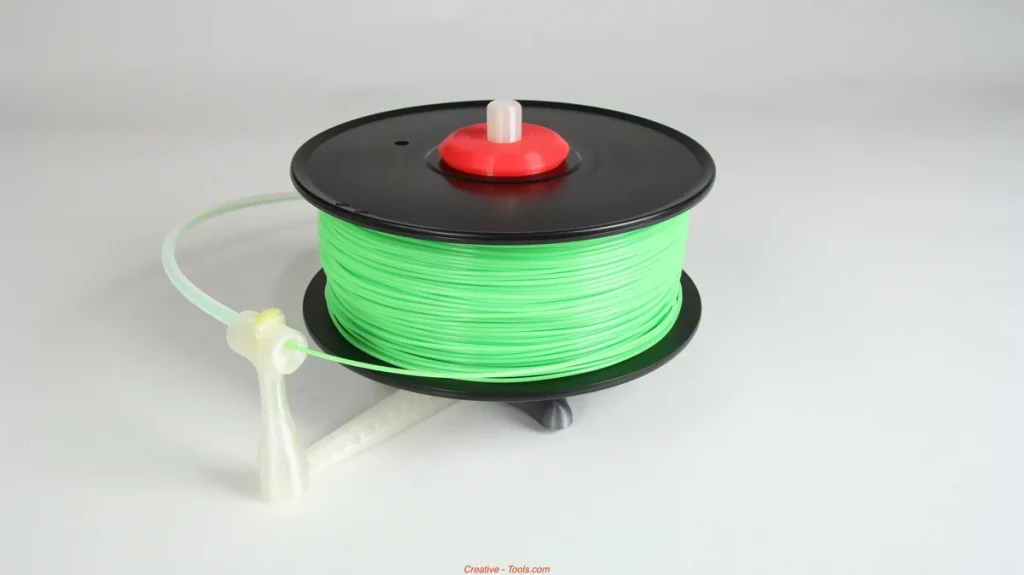
Keep the filament supported between the drive gears and nozzle, and make sure the spool turns without excessive resistance. Watch the first small print for interrupted flow or filament bunching near the gears. If feeding becomes uneven, slow down and check the path before chasing cosmetic settings.
Automatic spool systems feed filament from one or more spools to the printer, and they need a separate compatibility check. Feed standard TPU95 externally instead of through Bambu Lab’s original AMS, AMS lite and AMS 2 Pro; their flexible-material restrictions apply even when the printer itself can print TPU.
The AMS HT provides a bypass outlet for generic TPU. That is a different route from its automatic feeder, and you still need the correct external-filament connection for your printer.
A profile is a saved set of settings for the software that prepares your model for printing. Polymaker supplies TPU95 profiles for the Bambu A1, A1 mini, P1P, P1S, X1C and X1E, among others. A printer profile doesn’t override an accessory’s material restrictions. If automatic spool switching is essential to your project, standard TPU95 is a poor match.
Getting PolyFlex TPU95 Ready For A Useful First Print
Use a profile for your exact printer and standard TPU95 where one is available. Polymaker’s recommendations assume a 0.4 mm nozzle; don’t treat them as a ready-made recipe for a much smaller nozzle.
Polymaker recommends a 210–230°C nozzle, a 25–60°C print bed—the surface the part is printed on—and the part-cooling fan on.
Its speed recommendations differ. Polymaker’s V5.5 technical sheet lists 30–50 mm/s, while its main product page and US store list 20–40 mm/s. For a small first print, I’d start around 30 mm/s on direct drive and reduce it if feeding struggles. That’s a cautious starting choice, not a guaranteed profile or a universal speed limit.
TPU absorbs moisture from the air, which can leave rough surfaces and weaker bonds between printed layers. Drying removes that absorbed moisture before printing.
Polymaker’s drying instructions conflict. The V5.5 sheet specifies 70°C for eight hours; the US store says 65°C for eight hours when the filament has absorbed moisture. Follow the instructions supplied with your particular spool, within the limits of your dryer and spool. If those instructions don’t settle it, ask Polymaker which schedule applies to the product code on your label.
If you use a PolyDryer, Polymaker recommends power levels 2 or 3 for TPU95. These are device settings, not exact temperatures throughout the box. Other dryers need their own instructions. After drying, keep the filament in sealed storage with desiccant—the moisture-absorbing packets—or feed it from a suitable dry box.
Retraction briefly pulls filament back when the nozzle travels between printed areas. Start with your printer’s TPU profile, rather than copying a long retraction distance from another machine. If feeding becomes troublesome, reducing or temporarily disabling retraction lowers the risk of filament tangling and can help you isolate the problem. Expect that this may leave more strings between separate features.
Those fine strands of plastic are called stringing, and Polymaker warns they can be difficult to eliminate. Aim first for a steady flow of plastic from the nozzle and a part that fits, then tune one setting at a time for appearance.
Plan how you’ll remove the print, too. TPU can stick strongly to print beds with a PEI coating, a common plastic printing surface. Follow your plate maker’s instructions about a glue separation layer; on some plates, glue helps the part release. For example, Prusa specifies a separator on its smooth and satin sheets for flexible materials.
Turn the model in your printing software to reduce the need for supports, the temporary structures printed beneath overhangs. Supports made from TPU95 can bond stubbornly to the part. A cover you can print without them is a better first project than one that needs lots of cleanup on its visible surfaces.
What Can You Expect From TPU95’s Durability?
Polymaker’s stretch claims are encouraging for parts that need to bend without snapping, but stretching a test piece until it breaks isn’t a lifetime test. The manufacturer’s test pieces use 100% infill and specified printing conditions. Those results don’t tell you whether a hollow foot will recover after weeks under a machine or how quickly a grip will wear smooth.
Independent compression research provides a useful, narrower finding. Researchers printed standard TPU95 on a Prusa i3 MK3S+ at 220°C nozzle temperature, a 50°C bed and 30 mm/s. They compressed 32 mm lattice cubes—open structures with repeating internal shapes—containing 25%, 35% or 45% material by volume.
Samples were kept at 15%, 45% or 95% relative humidity before testing, then compressed at 0.03 mm/s. The least-dense structures had the lowest peak compression stress. In everyday terms, the amount of plastic in the design changed its resistance to being squeezed.
Those results don’t establish how well your bumper will recover after repeated compression, how quickly it will wear or how long it will last.
For an ordinary workshop part, make one representative sample before printing a batch. Bend or compress it through the movement you expect in use, repeat that movement, and check whether it returns to shape. For a foot that carries weight, leave it under the intended load and check its height and fit afterward. Look for tears, separating layers and permanent flattening.
Treat this as a practical screening step, not proof of a particular lifespan. If the part must hold a seal or withstand a known number of repeated loads, you need evidence for that specific job before relying on it.
Is Standard PolyFlex TPU95 Worth Buying For Your Parts?
I’d buy a spool for small flexible parts when you have a workable feed path, somewhere to keep it dry and time to adjust the design. The appeal is being able to make a cover or contact piece that fits your object and gives where you need it to. Skip it when your real requirement is rigidity or effortless automatic material switching.
PolyFlex TPU95-HF is the closest alternative if printing speed is the main frustration. HF means high flow: it’s formulated to move through the nozzle more readily. It needs its own profile and a check of how your print fits and flexes.
If standard TPU95 is too firm, Polymaker’s softer TPU90 is more relevant, although softer flexible filament generally makes feeding harder.
Pay attention to package size when comparing value. Standard TPU95 is listed in 0.75 kg spools, so compare the cost for an equivalent amount of filament when another option comes on a 1 kg spool. There isn’t enough comparable performance evidence here to justify paying extra on the promise of fewer failed prints or a longer-lasting part.
Supply deserves a check if you plan to make repeat batches. Polymaker still lists standard TPU95, but its US listing gives conflicting availability signals, including sold-out and backorder wording. It explicitly says 2.85 mm filament is being discontinued and may not be restocked. That notice doesn’t establish discontinuation of the 1.75 mm material.
Choose the filament diameter your printer requires; 1.75 mm and 2.85 mm describe the filament’s thickness, not the nozzle opening. Confirm the color and amount you can actually order before committing to a batch.
If a seller adds “V2,” ask for the matching Polymaker product code and technical sheet. The label alone doesn’t establish an upgrade or equivalence to the standard TPU95 described here.


